Proxy settings
Proxy settings allow NVL to integrate with a third-party loyalty system using Loyalty and Consumer Data Management (CDM) services. This integration enables NVL to evaluate transactions and calculate loyalty points or stored values on behalf of third-party system. The NVL UI allows you to switch between proxy mode and default mode for loyalty services.
Configure proxy settings
Follow the steps below to enable and configure proxy settings in NVL.
-
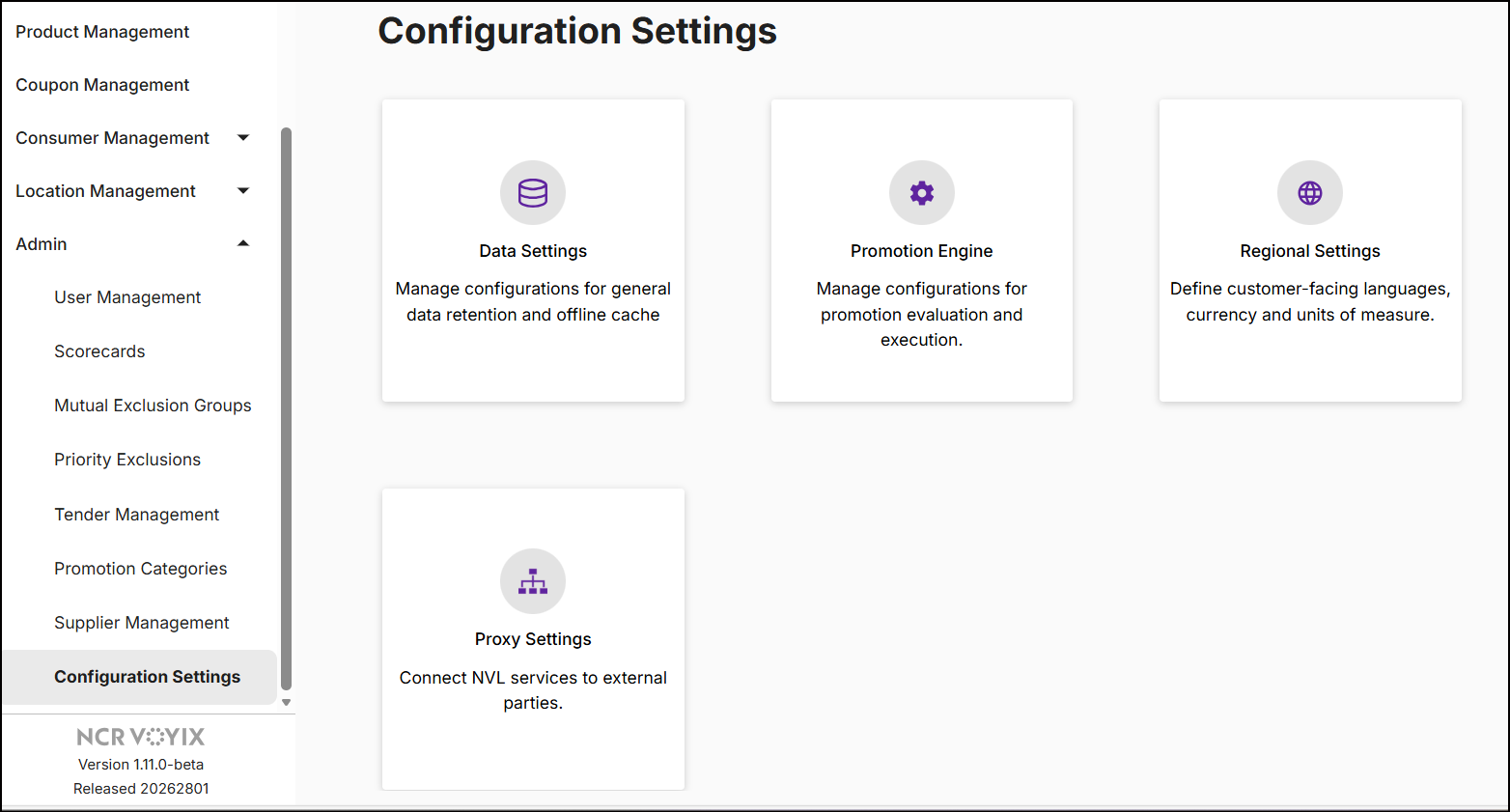
On the left navigation panel, expand Admin and click Configuration Settings.
-
Click Proxy Settings. The Enable Loyalty Proxy dropdown is displayed.
-
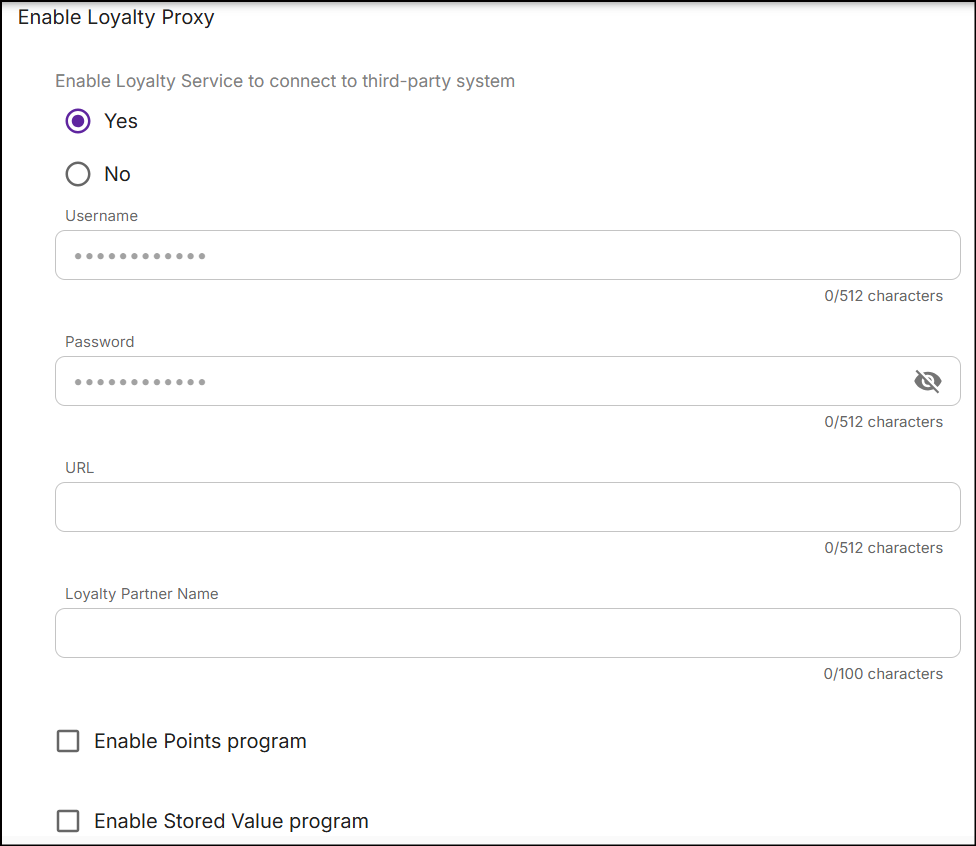
Expand Enable Loyalty Proxy and select Yes. This enables loyalty proxy integration and displays the proxy configuration fields.
-
Enter the required proxy configuration details:
- Username: Username provided by the third-party loyalty service.
- Password: Password provided by the third-party loyalty service.
- URL: Endpoint URL of the third-party loyalty service.
- Loyalty Partner Name: Name of the third-party loyalty partner.
- Points Program and/or Stored Value Program: Select at least one program to enable saving the proxy settings.
-
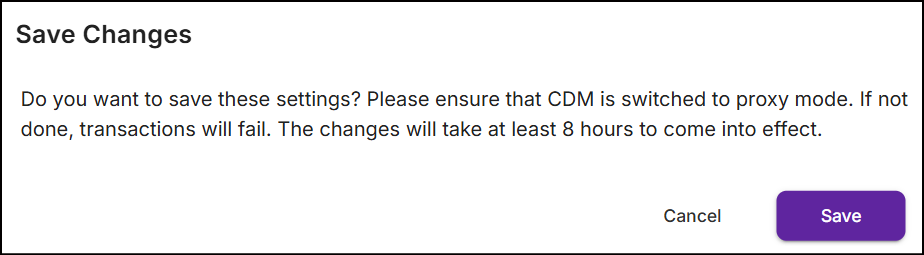
Click Save Changes. A confirmation pop-up will appear:
-
Click Save to confirm. The NVL Loyalty service will switch to proxy mode and connect to the third‑party loyalty service. These changes will take effect approximately 8 hours after saving. Once you switch to proxy mode, the External ID field becomes available in the loyalty program page which allows you to enter the loyalty program ID of third party. Click here for more details.
Limitations
- Consumer data is managed by the third-party loyalty system. NVL does not fetch consumer profiles or allow consumer adjustments in proxy mode.
- The Consumer Inquiry sub-module in Consumer Management is hidden when proxy mode is enabled, as NVL cannot retrieve consumer data or perform adjustments.
Button navigations
-
To discard the settings, click the back arrow at the top of the screen, or switch to any other module to see the following pop-up:
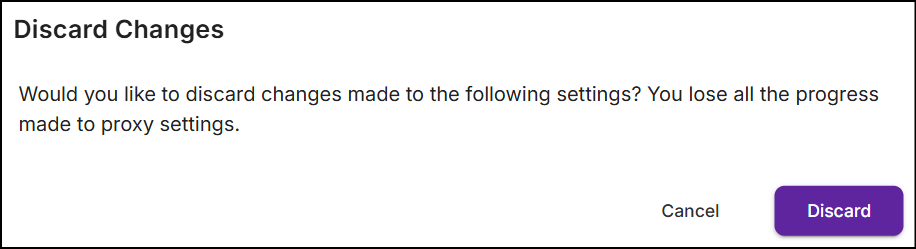
Click Discard. All proxy settings you entered will be removed.