Removing a job from an employee
When the employee no longer works under a specific job, the manager can remove the job from their employee profile.
To remove a job from an employee:
-
Select Labor > Employees. The 'Employees' screen appears.
-
Select the employee in the Active tab. The employee profile screen appears.
-
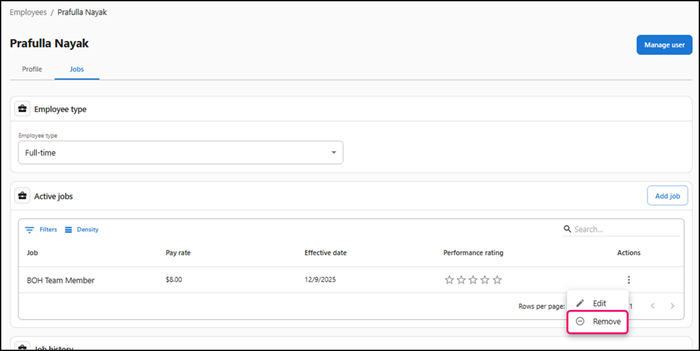
Select the Jobs tab under the employee's name. The Jobs screen appears.
-
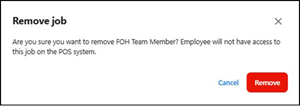
Click the three dots under 'Actions' and click Remove. A confirmation message to remove the job from the employee appears.
-
Click Remove to confirm.
Note: Use the Edit option to update the pay rate as needed and click Save icon in Actions.
Continue to "Managing employee profile."